MXR Bass Synth
In stock
MXR Bass Synth
MXR Bass Synth: a synth in a pedal
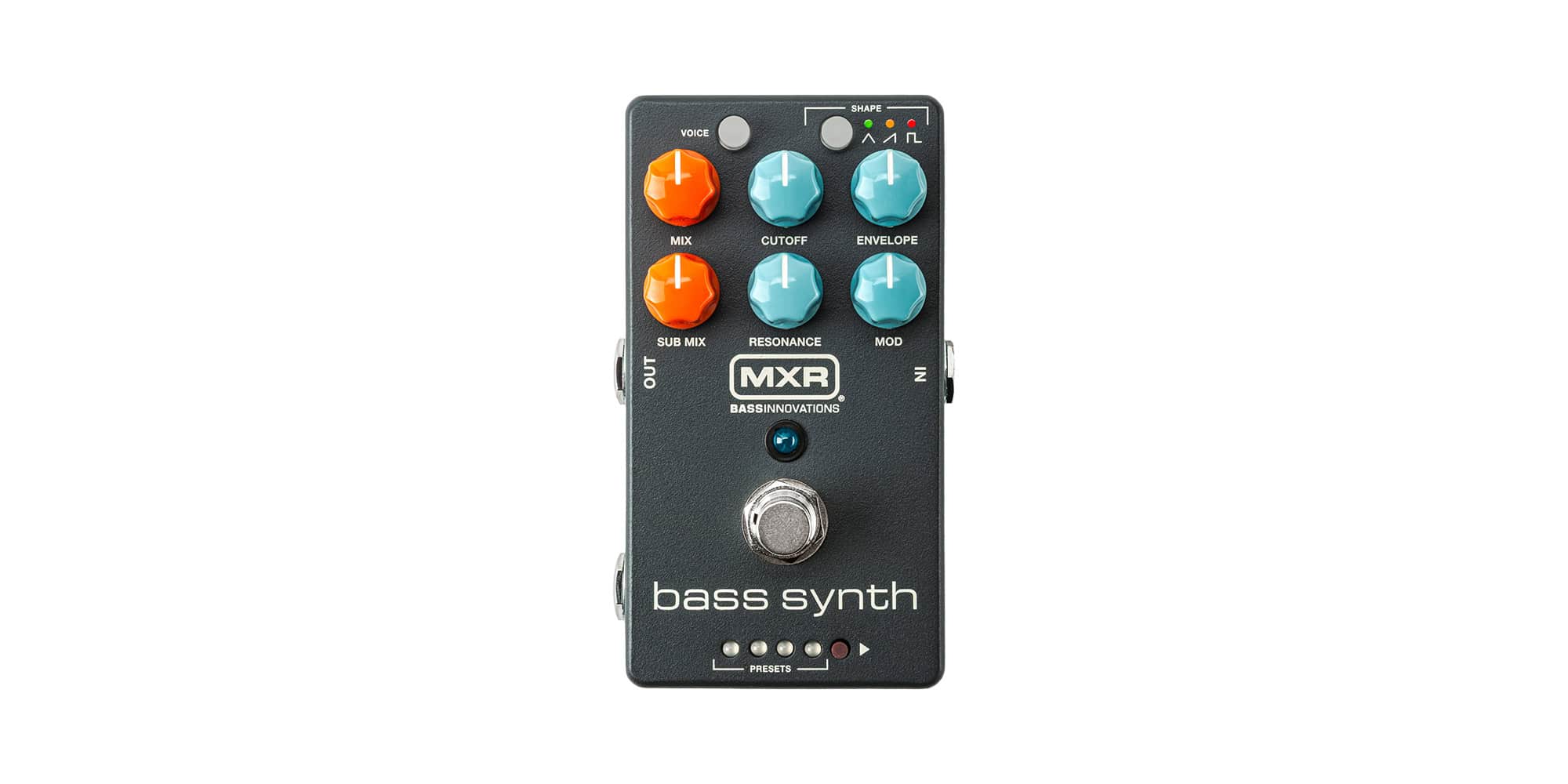
This is the MB301 Bass Synth from MXR. Basically, it turns your bass into a monophonic synth, so you get big synth bass lines straight from your fingers.
MXR made it together with bass player Ian Martin Allison. In fact, he also made the eight presets, and they’re inspired by classic synth sounds like Michael Jackson’s Thriller and Herbie Hancock’s Chameleon.
Eight presets, ready to play
Therefore you don’t have to dial everything in from scratch. Just press the Preset button and step through the eight sounds. As a result, you’re in the groove in seconds.
Six knobs and two buttons
First of all, Sub Mix blends the sub octave in under the synth. Mod adds movement, from subtle motion to big pulses. Envelope sets how the filter reacts, from a quick bounce to slow sweeps.
Furthermore, Mix blends your dry bass with the synth. Cutoff sets the filter frequency, and Resonance boosts it for extra punch.
In addition, the Voice button adds extra oscillators tuned in harmony, which means a thicker and more complex sound. Meanwhile, the Shape button picks the waveform: triangle, sawtooth or square.
More under the hood
Moreover, there are deeper settings for the oscillator and modulation mix, compression and tracking style. For example, you can also run the MXR Bass Synth in stereo.
You can also step through the presets with an external switch, such as the MXR Split + Tap or the Tap Tempo Switch. Likewise, a Volume (X) pedal lets you blend between settings with your foot.
Power
The pedal runs on 9V DC and draws 330 mA, so it needs a proper power supply. However, it can’t run on a battery.
Why we dig the MXR Bass Synth
In short, it’s a lot of synth bass in one pedal, and the presets get you going right away. So, what’s not to like?
Specs
Knobs
- Voice
- Adds additional oscillators harmonically tuned for more complex tones
- CUTOFF
- Sets the 4-pole resonant low-pass filter’s cutoff frequency
- Mix
- Sets the mix between dry and synth signals
- SUB MIX
- sets mix between the main synth and sub signals
Switches
- Footswitch
- Engage/bypass effect: Tap the footswitch Scroll presets: Hold footswitch. Tap footswitch to advance through presets. To exit, hold footswitch again or simply wait for timeout
- Footswitch (cont)
- Freeze current note: To configure freeze functionality, hold the footswitch down and rotate the RESONANCE knob to its max position. After configuring, holding the footswitch will hold or freeze the current synth note. To revert to preset scroll mode, hold the footswitch and rotate the RESONANCE knob to its min position
- SHAPE
- Selects oscillator waveform: Triangle: Subtle and smooth Sawtooth: Rich and aggressive Square: Fat, rubbery punch
- ENVELOPE
- Controls the attack/decay times of the filter envelope—lower settings give a fast, plucky response, while higher settings create a slow, sweeping effect. When fully counterclockwise, the envelope filter is off
- MOD
- Sets the amount of modulation. Boosts gain at cutoff frequency, adding a sharper, more expressive effect at higher settings
- PRESETS
- Button selects one of 8 different presets
Outputs
- Jacks
- Input: Mono Output: TRS jack; allows for stereo output CTR: Expression/tap input or right-channel output
Power
- Power
- 9 VDC, center negative at 330 mA