MXR Textures Granular Synth Engine M310
In stock
MXR Textures
MXR Textures Granular Synth: grains in a pedal
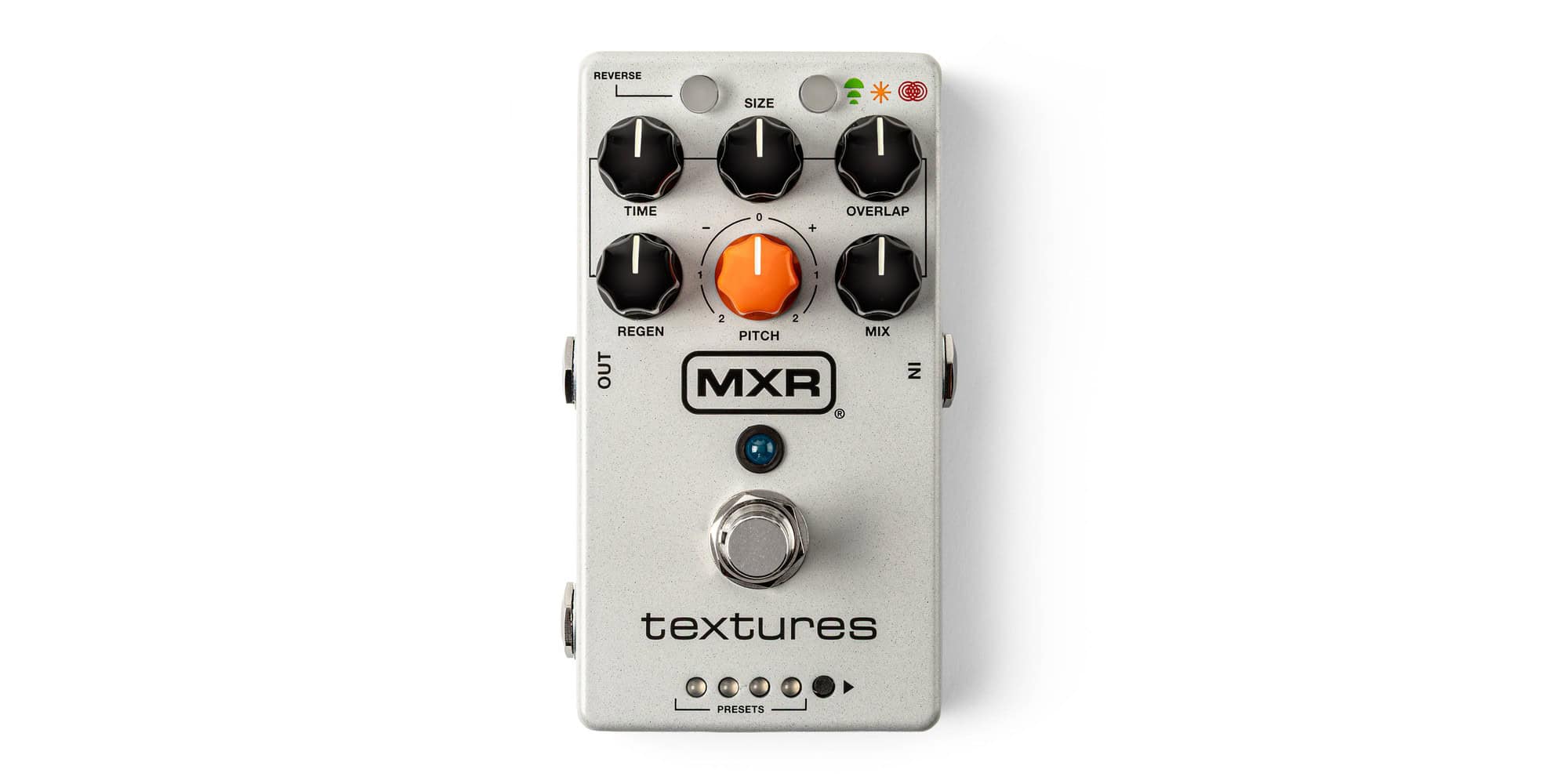
This is the Textures Granular Synth Engine from MXR, the M310. Basically, it records what you play and plays it back as small snippets called grains. As a result, you get pads, shimmer, glitchy rhythms and washes of sound you can’t get from a normal delay.
In other words, the MXR Textures pedal works a bit like a delay. However, instead of just repeating your notes, it lets you change the length, pitch and direction of every grain. Moreover, pitch goes from two octaves down to two octaves up, which means there’s a lot of room for sub-octave stuff on bass.
Three modes in the MXR Textures Granular Synth
First of all, Delay mode on the granular synth pedal keeps chopping up what you play as you go. Meanwhile, in Auto Freeze mode the MXR Textures listens for a note or chord, grabs it and holds it as a pad that keeps moving.
Layers mode on the MXR M310, on the other hand, holds up to four notes or chords at a time, each with its own fade in and fade out. Then, when you play a fifth, it replaces the oldest one. Therefore you can stack chords and build pads under a song. Finally, it’s MXR’s granular take on their Layers pedal, built into the MXR Textures.
Eight presets to get started
The MXR Textures pedal goes deep, but you don’t have to start from scratch. Instead, there are eight presets, four green and four red. For example, Sub Octave Ripple and Mellow Cello on the MXR Textures are both sub-octave sounds, so they’re an obvious starting point for bass players. Similarly, Obligatory Shimmer, as the name says, is a granular shimmer reverb.
Of course, you can also save your own sounds over the presets on the MXR M310. Also, if you want to go back, you can reset every preset to the factory setting.
Six knobs on the MXR Textures Granular Synth
First of all, on the MXR Textures pedal, Size sets how long each grain is, and Overlap sets how many play at once, from 1 up to 30. Then Time and Regen control the delay time and the feedback of the MXR Textures. Moreover, Pitch shifts the grains, and Mix goes from fully dry to fully wet.
In addition, holding Reverse or Mode on this granular synth pedal gives every knob a second job. This is also where you find randomness for time, size, overlap and pitch. Likewise, it’s where you set the granular synth pedal’s built-in reverb, the low/high-pass filter and the vibrato. You can also quantize the pitch to fourths, fifths and octaves.
Stereo, expression and tap tempo
Both the input and the output are TRS, so the MXR Textures pedal runs in mono, wet/dry or full stereo. Besides, in stereo mode it spreads the grains randomly across the stereo field.
Furthermore, the CTR jack on the MXR M310 takes an expression pedal or an external switch like the MXR Split + Tap. As a result, you get preset scrolling, freeze or tap tempo with your foot.
In mono, the MXR Textures is true bypass. However, in stereo, wet/dry or with trails switched on, the bypass is buffered.
Power
The MXR M310 runs on 9V DC and draws 300 mA, so it needs a proper power supply. However, it can’t run on a battery.
Why we dig the MXR Textures Granular Synth
In short, the MXR Textures Granular Synth is a sound design box that still works with the press of a button. Moreover, if you already like what the MXR Bass Synth does, this is the ambient side of the same family. So, what’s not to like?
Specs
Knobs
- Time
- Delay time per grain, 50 ms to 2 seconds. Attack time in Layers mode
- Size
- Grain length, 60 ms to 2 seconds (60 to 500 ms in Layers mode)
- Overlap
- Number of grains playing at once, from 1 to 30
- Regen
- Feedback amount. Decay time in Layers mode
- Pitch
- Grain pitch, from two octaves down to two octaves up
- Mix
- Blend from full dry to full wet
Switches
- Footswitch
- Engage or bypass. Hold to freeze, or set it to scroll presets
- Reverse
- Plays grains in reverse. Hold it to reach the second set of knob functions
- Mode
- Delay, Auto Freeze or Layers. Hold it for reverb, filter and vibrato settings
- Presets
- Steps through 8 presets: 4 green and 4 red
- CTR switch
- Sets the CTR jack to expression/tap or right audio output
Outputs
- Input
- 1/4" TRS, mono or stereo
- Output
- 1/4" TRS. Mono, wet/dry or stereo
- CTR
- Expression pedal, tap switch or right output
Performance
- Input impedance
- 1 MΩ
- Output impedance
- 100 Ω
- Max input level
- +5 dBV
- Noise floor
- -97 dBV
- Bypass
- True bypass in mono. Buffered in stereo, wet/dry or with trails on
Power
- Power
- 9V DC center negative, 300 mA. No battery